DELETE Statement in SQL
1. Create Table
CREATE TABLE Employee (
    Id INT,
    Name VARCHAR(20),
    City VARCHAR(20)
);
2. Insert Values
INSERT INTO Employee VALUES (1, 'Spiderman', 'Varanasi');3. View Records
SELECT * FROM Employee;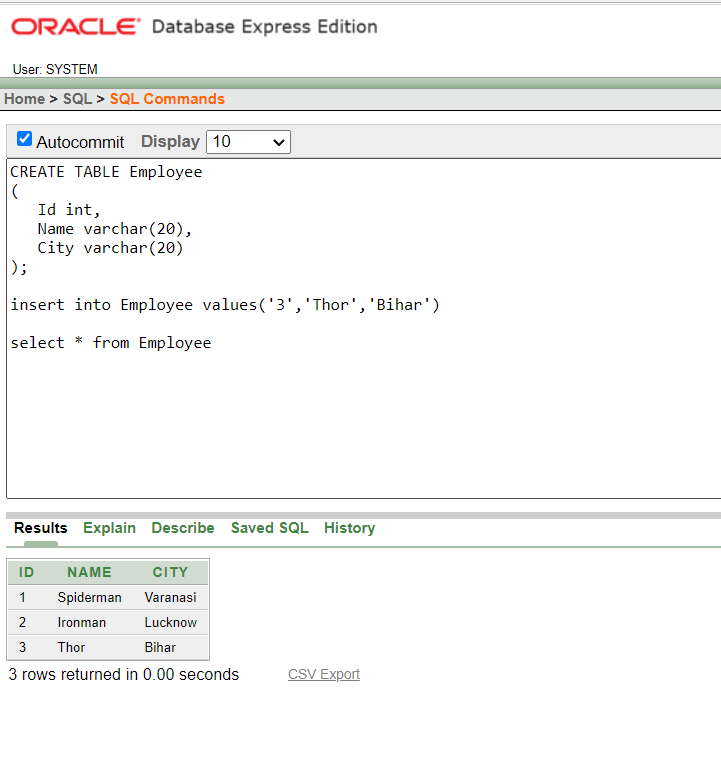
4. Delete Specific Record
To delete an employee where Name = 'Thor':
DELETE FROM Employee WHERE Name = 'Thor';
5. Delete All Records
If you want to remove all rows from the table but keep the table structure intact:
DELETE FROM Employee;This will clear the data but the table and its columns will remain available for future use.

Quick Note:
DELETEremoves rows but not the table structure.- Use
WHEREclause carefully to avoid deleting unintended rows. TRUNCATEis a faster alternative when you want to delete all records.

0 Comments
Please comment